• What I Played: 2009 Edition

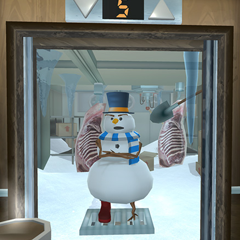
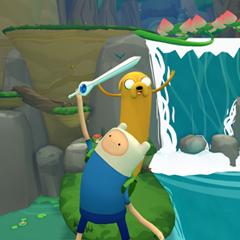
    Check out a list of every game I played in 2009 with a few thoughts on each one!

  • Game Deconstruction: FarmVille

    Why is this game so popular? Read my take on trying to figure it out.

  • Game Deconstruction: 'Splosion Man

    Critics agree that Twisted Pixel's latest effort shouldn't be missed. What makes it more memorable than other XBLA platformers?

  • Audiball Postmortem

    Read my reflections on my first foray into game development. Audiball is available now on Xbox Live Indie Games.

New Game: SUPÉR MATADOR 3

This weekend, I participated in the Global Game Jam at the SCAD Atlanta / Georgia Tech site. We were tasked with making a game that included the themes of “deception” and “rain, plains, or Spain.” 48 hours later, we made SUPÉR MATADOR 3.

Click the image to go to the GGJ site and play!

I was responsible for game design and audio. My team won first place!

The contest also had “achievements” we could get by sticking to certain constraints. We were rewarded for having no text, using less than 16 colors, and being playable in a browser. Check it out and let me know what you think!


LCC 3710 Project 1: Informational Poster

The goal of this project is to create a visually appealing informational poster using only text. I worked on this project with Kaliyana Finney and Robert Spessard.

Part 1: Initial Brainstorming
Lots of restrictions: we weren’t allowed to use color, and all of them had to use Helvetica Neue.

Part 2: More Brainstorming
Less restrictions: color, rotating text, and a few more typefaces.

Part 3: Refining Ideas
Variations on the best of part 2.


Usability of the Wii Remote (Assignment 2)

The following text was written for a class assignment, and posted to my blog per the requirements of the class.

Find an everyday handheld device, e.g. remote control, digital camera, cell pone, and examine how it has been designed, paying particular attention to how the user is meant to interact with it. From your first impressions, write down what first comes to mind as to what is good and bad about the way the device works.

The Nintendo Wii Remote is aesthetically pleasing with its cured edges and well-spaced buttons. Pointing the remote at the screen as a cursor feels like a natural interaction, and the subtle rumble when the cursor passes over menu items is a great form of feedback for the user. Its support for motion controls lends itself very well to some types of games but feels very unnatural for others. It connects wirelessly to the console to give the user a better range of freedom and uses Bluetooth to avoid the wireless interference problems found with many other handheld devices. The bottom of the remote’s face features a four-light indicator system to show which player (1 through 4) the remote is registered to in multiplayer games. It also features an internal speaker to give each player unique sound effects or feedback from in-game interactions. The relatively small number of buttons compared to other game controllers sacrifices functionality in favor of simplicity. The B button located on the rear of the remote feels slightly unnatural compared to the rest of the buttons. More >


Drawings in 60 Seconds

This was a class assignment to fill in as many circles with unique drawings as possible within 60 seconds, the same exercise used by Tim Brown is this TED talk. I didn’t get very far. More >


25 Uses for a Paperclip (LCC 3710 Assignment 1)

  1. Get a magnet out from a hard to reach place
  2. Replace a rope for office tug-of-war
  3. Open a sealed package
  4. Create a chain
  5. Makeshift twist-tie to keep bread fresh
  6. Hang a picture
  7. Break a CPU fan
  8. Makeshift toothpick
  9. Poke an eye out
  10. Hold an Easter egg in dye without getting your hands messy
  11. Test a power supply
  12. Pick a lock
  13. Makeshift hairpin
  14. Push one of those annoying inset reset buttons on small electronic devices
  15. Make a wireframe statue
  16. Carve something into a rock
  17. Makeshift fishhook
  18. Anything (if given to MacGyver)
  19. Pole for a pole-dancing frog
  20. Pick your nose
  21. Pop a balloon
  22. Brand cattle
  23. Have an office jousting match
  24. Skewer sheets of paper together
  25. Hold sheets of paper together
     

What I Played: 2009 Edition

For all the time I spent working, I still managed to play a lot of games in 2009. I’m late on the decons, but in the meantime I’ve put together a list of (almost) every game I played this year with a couple thoughts on things that stuck out to me about each of them. More >


Only at U(sic)GA Rejects

Rivalry week is past, and UGA played the better game and won. Hats off to them.

We turned “Only at Tech” into “Only at U(sic)GA” as a way to poke fun at our rival prior to the game. We had hundreds of hilarious stories submitted by Tech students,  but some folks from UGA also used the site to express their displeasure. Here are some of the funnier hate posts that we rejected: More >


Only at Tech hits the Technique

The Technique, Georgia Tech’s student newspaper, has an article on Only at Tech in the Focus section this week. Check it out!

There are a few typos (and some misquotes – I promise my grammar isn’t that bad) but it’s full of praise for the website and the way it has been embraced by the Georgia Tech community. We’re rolling out some major updates to the site on Saturday – can’t say what just yet, but hopefully it will give Tech students yet another reason to visit.


Only at Tech – The First Day

Today’s website launch went better than any of us could have imagined. We launched the site around 12:15 EST. Below are some general stats about the site’s traffic for those who are interested. Assuming 90%+ of our traffic came from Georgia Tech students, it’s somewhat revealing…

Hits: 383,691
Page Views: 281,952
Unique Visitors: 8,770
Average Page Views per Visitor: 32.15
Fans on Facebook: 1258
Bandwidth Used: 8.96 GB

The page view ratio is extremely high. That means people are getting onto the site and staying to read pages upon pages of content. Great news for us!

And some graphs:

Site Activity by Hour of Day

In typical Tech fashion, the website’s popularity was highest from 11 to midnight. Will with 12AM-1AM slot be even better? It looks like we still haven’t peaked.

Top_Referring_Sites
Top Referring Sites

Behold the power of Facebook! We didn’t do any advertising for the site other than mentioning it in front of our CS class.

Most Used Browsers
Most Used Browsers

Georgia Tech is probably the only place where Google Chrome users outnumber IE 6, 7, and 8 users combined. The “Others” category was dominated by Blackberry and Opera, but there were also a few hacking tools in there from people who tried (unsuccessfully) to hack the site. At one point, someone did run a script that voted for their post every 30 seconds to raise it to the top of the ratings.

Most_Used_Operating_Systems
Most Used Operating Systems

Windows Vista narrowly edged out Windows XP for the title of “most used OS.” There were roughly half as many iPhone users as Windows 7 users, and three times as many Mac OS X users as Windows 7 users. To break one Tech stereotype, only 182 people accessed the site from Linux, and 11 poor users were still running Windows 98.


New Website – “Only at Tech”

logo

Announcing “Only at Tech,” a website for Georgia Tech students to share their stories of love and hate about their school. I’m the website’s designer. It’s very comparable to websites like FMyLife or Texts from Last Night. Check it out!

http://www.onlyattech.net

Update: The site’s launch went better than we could have ever imagined. We’ve had over 200 submissions and over 400 people add us as fans on Facebook in a period of seven hours. Keep spreading the word!